
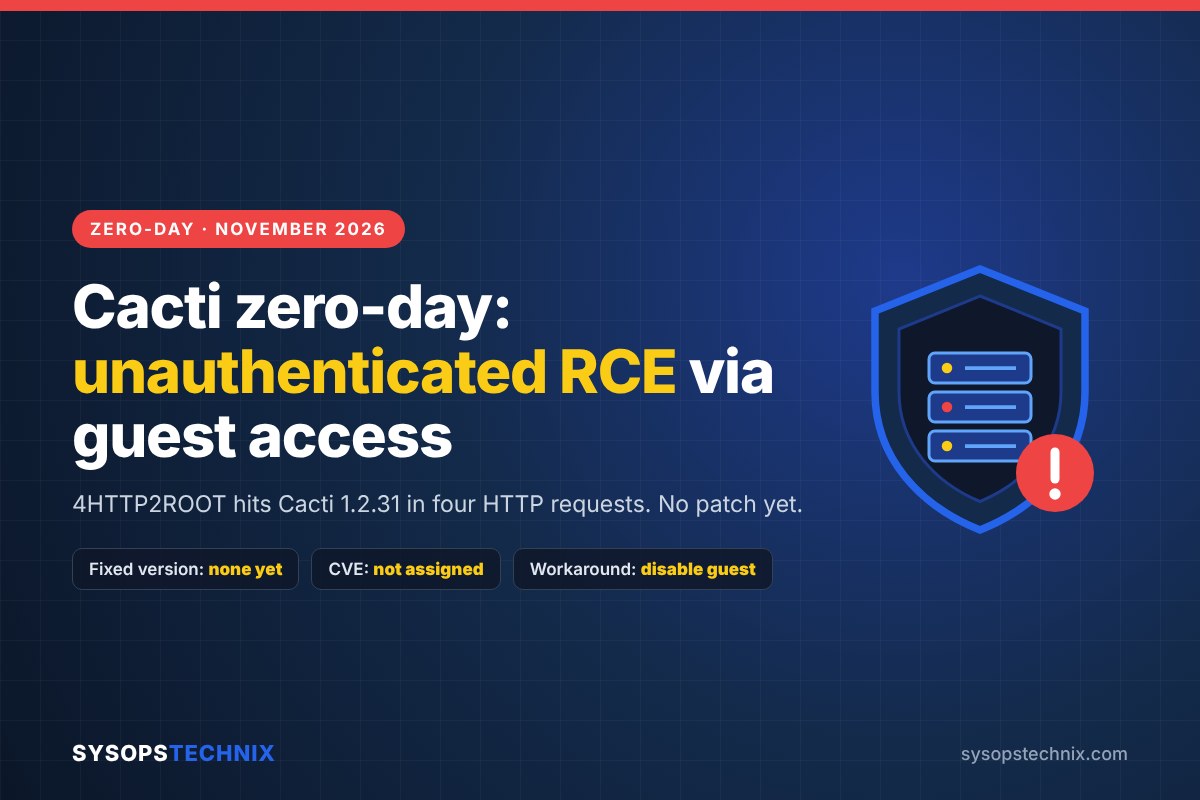
A new Cacti zero-day lets an anonymous visitor run operating system commands on your monitoring server, and there is no patch for it yet. The exploit chain, nicknamed 4HTTP2ROOT (the researcher calls it 4HTTP2SHELL), needs just four HTTP requests against Cacti 1.2.31, the current release, as long as guest access is turned on.
That condition is the whole story right now. If your Cacti guest user is disabled and the web UI isn’t reachable from untrusted networks, this chain doesn’t work as published. If guest access is on so people can glance at graphs without logging in, you should turn it off today. Cacti boxes tend to hold SNMP communities and device credentials for half the network, so a shell there is a very good starting point for an attacker.
| Name / ID | 4HTTP2ROOT (also 4HTTP2SHELL); no CVE assigned as of Nov 27, 2026 |
| Affected product | Cacti 1.2.31 (confirmed); older 1.2.x not ruled out |
| Fixed versions | None yet |
| Severity | No official CVSS; unauthenticated remote code execution when guest access is enabled |
| Exploited in the wild | No known exploitation as of Nov 27, 2026 (per watchTowr); public proof of concept available |
| CISA KEV | Not listed as of Nov 27, 2026 |
| Workaround | Yes: disable guest access and restrict the web UI |
| Disclosed | Nov 26, 2026 (public GitHub release, no vendor fix) |
TL;DR: (1) Set the Cacti Guest User to “No User” and disable the guest account. (2) Put the Cacti web UI behind a VPN or an IP allowlist. (3) Check settings_user, poller_item and your PHP logs for signs of tampering. (4) Make sure Cacti and its poller don’t run as root. (5) Watch the Cacti releases page and update as soon as a fix ships.
What happened with the Cacti zero-day
On November 26, 2026, a researcher using the handle “ek0ms savi0r” published a working proof of concept on GitHub for an unauthenticated remote code execution chain in Cacti Core 1.2.31. Nobody had a fix ready. Previdian reproduced it in a lab the same day and is tracking it as VULN-2026-0010, and watchTowr published an FAQ confirming that the guest account has to be enabled for the chain to work. The Hacker News covered it on November 27.
As of November 27 there’s no CVE, no GitHub security advisory from the Cacti Group, and no release newer than 1.2.31 (June 15, 2026) on the official releases page. We couldn’t find any public statement from the Cacti maintainers, and none of the reports say whether they were notified before the code went public. In plain terms: this was dropped as a full-disclosure zero-day, with working code on day one.
Nobody has reported in-the-wild exploitation yet. I wouldn’t lean on that. Cacti already has form here: CISA added the unauthenticated command injection CVE-2022-46169 to its Known Exploited Vulnerabilities catalog back in February 2023 after botnets started using it. Internet-facing Cacti servers get scanned constantly, and a four-request exploit with public code is about as easy as it gets.
How the 4HTTP2ROOT exploit chain works
There’s no single bad line of code here. It’s four small weaknesses that line up, which is why it slipped past the many security fixes that went into 1.2.31. Here is the chain in plain English, without the payloads:
- A guest can save profile settings. With guest access on, an anonymous visitor gets a session and can save their own display preferences through the profile page (
auth_profile.php). - A numeric setting isn’t checked. One of those preferences, the number of graphs shown per page in preview mode (
preview_graphs_per_page), should be an integer. Cacti stores whatever string it gets. - The value lands in SQL later. When the graph preview page loads with default filters, that stored value is dropped into a
LIMITclause. The database driver accepts stacked statements there, so the attacker’s extra SQL runs. That’s a second-order SQL injection: the input is stored in one request and fires in another. - The poller runs what the database says. The injected SQL rewrites a poller entry. A realtime graph request then reads that entry and hands it to PHP’s
popen()with no allowlist, so the attacker’s command runs on the server.
The code runs as whatever account serves Cacti, usually www-data or apache. The “ROOT” in the name refers to a lab setup where the web tier ran as root. On a sane install the attacker lands as the web user. That still means reading config.php (database password), your device credentials and SNMP communities, and editing the poller so your alerts quietly stop firing.
Am I affected?
You’re exposed to this specific chain if all of the following are true: you run Cacti 1.2.31 (or an older 1.2.x build that likely shares the same code), the Guest User setting points at a real account, and an attacker can reach the web UI. Tick what applies:
Tick everything that applies to you
Any box ticked? Lock it down now. Ticks reset when you reload the page.
Here’s how to check the version and the guest setting from a shell. Paths vary: Debian and Ubuntu packages install to /usr/share/cacti, RHEL-family packages use /usr/share/cacti too, and source installs usually live under /var/www/html/cacti.
Check the installed Cacti version
# Package installs
dpkg -l cacti 2>/dev/null | tail -n1      # Debian / Ubuntu
rpm -q cacti 2>/dev/null                  # RHEL, Rocky, Alma (EPEL)

# Any install: version file and database
cat /usr/share/cacti/site/include/cacti_version 2>/dev/null || cat /var/www/html/cacti/include/cacti_version
mysql -u root -p cacti -e "SELECT cacti FROM version;"
Check whether a guest account is mapped and enabled
mysql -u root -p cacti -e "SELECT name, value FROM settings WHERE name = 'guest_user';"
mysql -u root -p cacti -e "SELECT id, username, enabled FROM user_auth WHERE username = 'guest';"
A guest_user value of 0 (or empty) means “No User”. Anything else maps anonymous visitors to an account, and enabled = on on that account means the door is open.
| Cacti version | Status | Fixed version |
|---|---|---|
| 1.2.31 (latest, June 15, 2026) | Confirmed vulnerable | No fix yet |
| 1.2.30 and older 1.2.x | Not tested publicly; likely affected | No fix yet |
| Next release (TBA) | Expected to fix it | Watch the releases page |
Disclaimer: These steps are general guidance based on the published research and vendor documentation, and are provided as-is. Every environment is different: test in a staging environment, take a full backup or snapshot first, and follow the vendor’s official documentation. SysOpsTechnix accepts no responsibility for outages, data loss or other damage resulting from applying these steps. See our Terms of Use.
How to protect Cacti until a patch ships
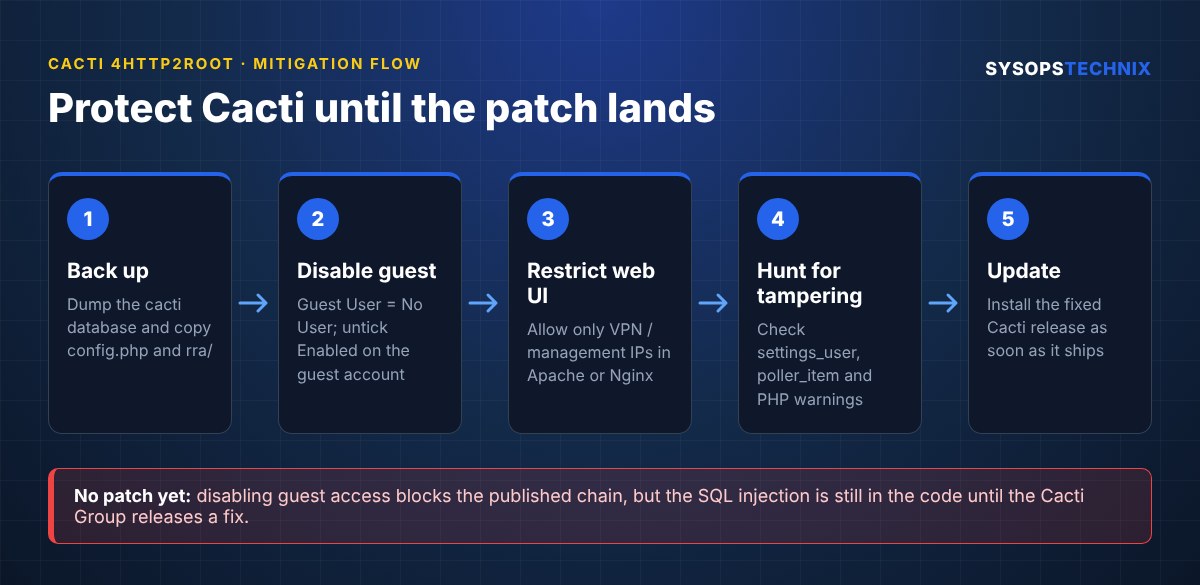
Because there’s no fixed version, “fixing” this means closing the entry point and checking you weren’t already hit. Turning off guest access is the step that actually breaks the published chain. The network restriction is your safety net for whatever variant shows up next.
Step 1: Back up the database and install
sudo mysqldump --single-transaction cacti > /root/cacti-$(date +%F).sql
sudo tar czf /root/cacti-files-$(date +%F).tar.gz /usr/share/cacti /etc/cacti 2>/dev/null
# Source install? Back up /var/www/html/cacti instead (include/config.php and rra/ matter most)
Step 2: Disable the Cacti guest user
Log in as an admin and go to Console > Configuration > Settings > Authentication. Set Guest User to No User and save. Then open Console > Configuration > Users, edit the guest account and untick Enabled. If you depend on embedded graphs for a NOC screen, give that screen a real low-privilege account instead of anonymous access.
No admin login handy? You can do the same from the database, then confirm it in the UI later:
mysql -u root -p cacti -e "UPDATE settings SET value = '0' WHERE name = 'guest_user';"
mysql -u root -p cacti -e "UPDATE user_auth SET enabled = '' WHERE username = 'guest';"
Verify it the simple way: open a private browser window and load the Cacti URL. You should get a login form, not graphs.
Step 3: Restrict who can reach the web UI
Cacti’s web UI should never face the internet. Limit it to your management network or VPN at the web server. For Apache, the package config is /etc/apache2/conf-available/cacti.conf on Debian/Ubuntu and /etc/httpd/conf.d/cacti.conf on RHEL-family systems:
Apache
<Directory /usr/share/cacti>
    Require ip 10.10.0.0/24 192.168.50.0/24
</Directory>
Nginx
location /cacti/ {
    allow 10.10.0.0/24;
    allow 192.168.50.0/24;
    deny all;
}
sudo apachectl configtest && sudo systemctl reload apache2   # httpd on RHEL
sudo nginx -t && sudo systemctl reload nginx
A host firewall rule on ports 80/443 does the same job if you’d rather not touch the web config. Our guide to hardening a small business server covers that approach.
Step 4: Make sure nothing runs as root
ps -eo user,cmd | grep -E "apache2|httpd|php-fpm|nginx|poller.php|spine" | grep -v grep
Web workers and the poller should run as www-data, apache or a dedicated cacti user. If you see root, fix that before anything else: it’s the difference between a compromised web app and a compromised server.
Step 5: How to update Cacti when the fix is released
Keep an eye on the Cacti releases page and your distro’s security tracker. Distro packages often lag upstream by days or weeks, so check both. When a fixed version is out, update the usual way:
# Debian / Ubuntu
sudo apt update && sudo apt install --only-upgrade cacti

# RHEL, Rocky, Alma (EPEL)
sudo dnf upgrade cacti

# Source install: unpack the new release over a copy, keep include/config.php, rra/ and plugins/,
# then finish the upgrade in the browser or with:
sudo -u www-data php /var/www/html/cacti/cli/upgrade_database.php
After updating, confirm the new version with the checks above and leave guest access off unless you have a real reason to bring it back.
Temporary mitigations if you can’t lock it down yet
Some teams can’t kill guest access on the spot because a wallboard or a customer portal depends on it. If that’s you, at least put an authenticating reverse proxy or a WAF in front of Cacti so anonymous requests never reach PHP. Researchers also suggest alerting on the request pattern the chain uses: a profile save to auth_profile.php, then a preview of graph_view.php, then a graph_realtime.php init call from the same client within a few minutes. Treat both as stopgaps. They block the published path; they don’t fix the SQL injection underneath.
Signs your Cacti server was compromised
Public code has been out since November 26, so check before you assume you’re clean. Start with the stored setting the chain abuses. A legitimate value is always a plain number:
Non-numeric preview_graphs_per_page values (should return nothing)
mysql -u root -p cacti -e "SELECT user_id, value FROM settings_user WHERE name = 'preview_graphs_per_page' AND value NOT REGEXP '^[0-9]+$';"
Poller entries that look like shell commands
mysql -u root -p cacti -e "SELECT local_data_id, hostname, arg1 FROM poller_item WHERE arg1 REGEXP 'curl|wget|bash|sh -c|nc |/tmp/|base64';"
PHP warnings and the request sequence in web logs
sudo grep -i "non-numeric" /var/log/apache2/error.log /var/log/httpd/error_log /var/log/php*-fpm.log 2>/dev/null
sudo grep -E "auth_profile.php|graph_realtime.php" /var/log/apache2/access.log /var/log/httpd/access_log 2>/dev/null | tail -n 50
Script data sources legitimately use arg1, so review hits by eye rather than deleting rows. Also look for new or recently changed PHP files under the Cacti directory, unexpected outbound connections from the web user, and shell processes whose parent is Apache or PHP-FPM.
If you find a tampered setting, a poller entry you didn’t create, or shell activity from the web user, treat it as an incident. Take the server off the network, preserve logs and a disk snapshot, and rebuild from a clean install rather than “cleaning” it. Then rotate the Cacti database password, every SNMP community and device credential stored in Cacti, and any credentials an attacker could have read from that box.
Going forward, tools like Fail2ban and the checks in our Linux web server pre-launch checklist help keep internal tools like Cacti from drifting onto the open internet. If you’re working through this week’s other patch backlog, see our write-up on the Drupal vulnerability CVE-2026-136716.
FAQ
Is there a CVE for the Cacti zero-day?
Not yet. As of November 27, 2026, 4HTTP2ROOT has no CVE or GitHub security advisory. We’ll update this post when one is assigned.
Is there a patch for the Cacti vulnerability?
No. Cacti 1.2.31 is the latest release and it’s the version the exploit was confirmed on. Disable guest access and restrict the web UI until the Cacti Group ships a fix.
Does the Cacti exploit need a login?
No login and no stolen credentials. It does need the guest account to be enabled, which reports say is off by default. If you never turned on guest access, this particular chain shouldn’t work against you.
Are older Cacti versions affected?
Only 1.2.31 has been tested publicly. Researchers say older 1.2.x builds that share the same code are likely at risk, so don’t assume an older install is safe. Apply the same mitigations.
Is 4HTTP2ROOT being exploited in the wild?
No exploitation had been reported as of November 27, 2026, and it isn’t in CISA’s KEV catalog. With a public proof of concept, expect that to change.
How do I disable the Cacti guest user?
Go to Console > Configuration > Settings > Authentication, set Guest User to “No User”, then disable the guest account under Console > Configuration > Users. Confirm with a private browser window.
Sources
- watchTowr: 4HTTP2ROOT Cacti zero-day FAQ
- The Hacker News: Unpatched Cacti zero-day enables RCE via guest access
- Cacti releases on GitHub
- Cacti documentation: Authentication settings
- CISA Known Exploited Vulnerabilities catalog