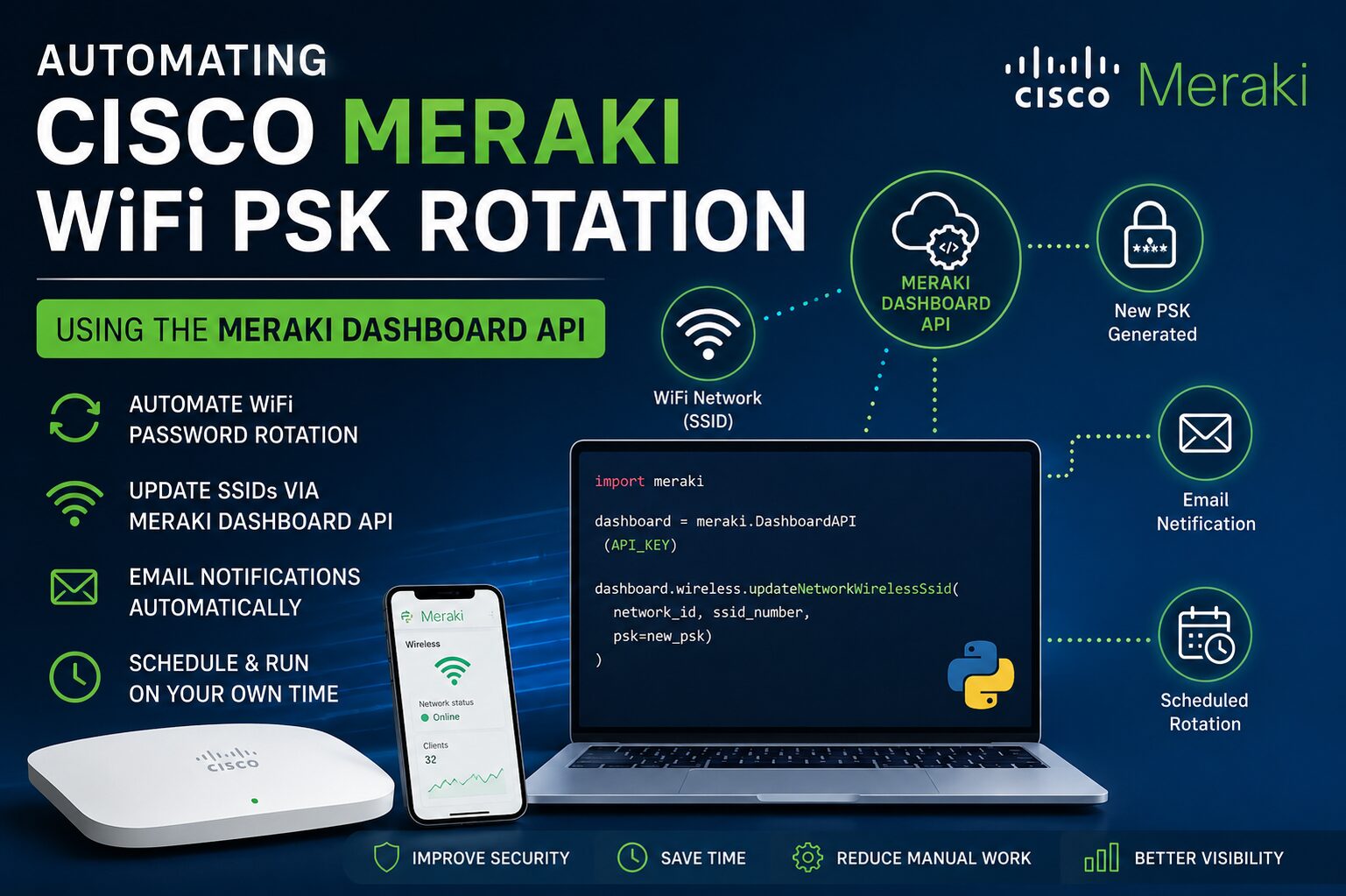
Cisco Meraki WiFi PSK rotation is a critical security practice for organizations that use pre-shared keys (PSKs) to secure their wireless networks. PSK-based authentication remains one of the most common methods for securing employee, guest, and IoT WiFi networks because of its simplicity and ease of deployment. However, many organizations overlook the importance of regularly rotating WiFi passwords, often leaving the same password unchanged for months or even years. As a result, former employees, contractors, vendors, or guests may continue to have unauthorized access long after it should have been revoked.
Fortunately, if you’re using Cisco Meraki Wireless infrastructure, you can automate the entire password rotation process using the Meraki Dashboard API and Python.
In this article, I will build a fully automated solution that:
- Generates a new, secure pre-shared key (PSK) every day
- Updates only the target SSID’s password via the Meraki API
- Emails the new password to a distribution list automatically
- Retries and alerts an administrator if anything fails, instead of failing silently
- Runs unattended as a Linux systemd service on a schedule you control
Why Rotate WiFi Passwords?
Regular PSK rotation is considered a security best practice.
Benefits include:
- Prevent unauthorized long-term access
- Remove access for former employees
- Reduce insider threats
- Meet ISO 27001 security requirements
- Simplify compliance audits
- Minimize password sharing
Instead of relying on manual updates, automation ensures passwords are changed consistently without administrator intervention.
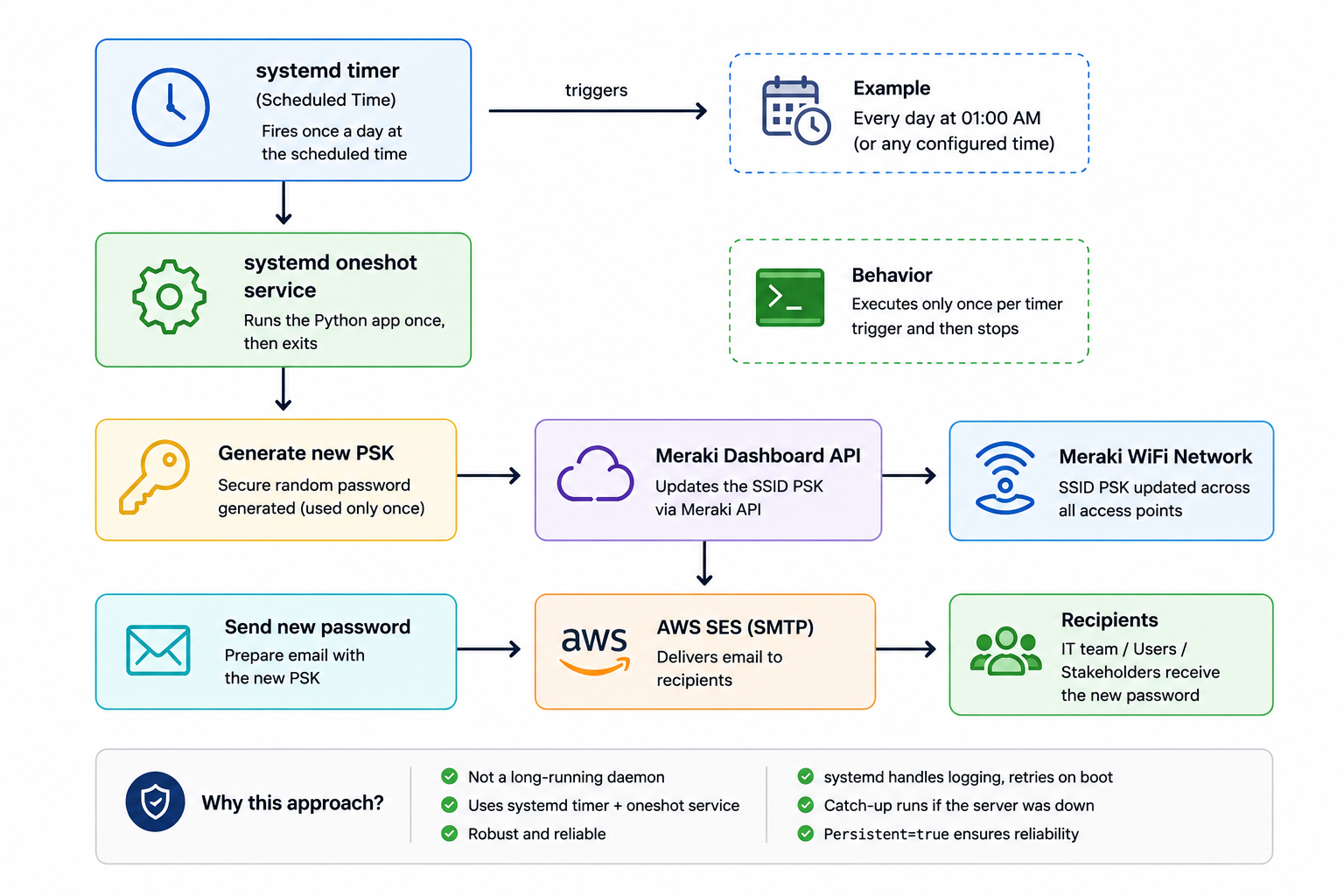
Architecture Overview
Prerequisites
- A Cisco Meraki organization with a wireless network and a PSK-secured SSID.
- A Meraki API key with read-write access to that network (enable API access in your Meraki dashboard under Organization → Settings).
- An AWS account with SES configured and a verified sending domain/address, plus SES SMTP credentials.
- A Linux server with systemd (Ubuntu/Debian used in this guide), Python 3.10+ and Git.
Install base packages:
apt-get update
apt-get install -y python3 python3-venv python3-pip
Get the required source files form GitHub
cd /opt
git clone https://github.com/lakindu93/cisco-meraki-wifi-psk-rotate.git
Directory Structure:
/opt/cisco-meraki-wifi-psk-rotate/
├── requirements.txt
├── config/
│   └── config.yaml
├── src/
│   ├── __init__.py
│   ├── config.py
│   ├── mailer.py
│   ├── main.py
│   ├── meraki_client.py
│   └── password_gen.py
├── scripts/
│   └── list_ssids.py
└── systemd/
    ├── cisco-meraki-wifi-psk-rotate.service
    └── cisco-meraki-wifi-psk-rotate.timer
Create the Virtual Environment
cd /opt/cisco-meraki-wifi-psk-rotate
python3 -m venv venv
./venv/bin/pip install --upgrade pip
./venv/bin/pip install -r requirements.txt
Configure Credentials & Finding your SSID Number
First, edit the config/config.yaml file and replace all REPLACE_WITH_... placeholders with your actual configuration values, including the Meraki API key, Organization ID, Network ID, SSID number for the PSK enabled SSID network (you can retrieve this using the scripts/list_ssids.py script as described below), AWS SES SMTP credentials, and the recipient and administrator email addresses. Once you’ve updated the configuration, restrict access to the file by setting its permissions to 600.
chmod 600 config/config.yaml
If you don’t know the ssid_number for your target SSID, you can retrieve it using the discovery script. Before running the script, ensure that at least the api_key and network_id values are configured in config/config.yaml.
./venv/bin/python scripts/list_ssids.py --config config/config.yaml

If you’re new to the Cisco Meraki Dashboard API, I recommend reading my previous article, “Cisco Meraki API for WiFi Analytics: Retrieve WiFi Data and Visualize on Grafana,” which covers the basics of setting up and using the API.
Test Before Enabling the Schedule
Because this touches a production network’s live credentials, I have built in a --dry-run flag that fetches and validates the target SSID – confirming API connectivity, correct network/SSID IDs, and that the safety name-check passes without changing anything:
./venv/bin/python src/main.py --dry-run --config config/config.yaml

Confirm it reports the correct SSID name/number. Then run it for real once, to confirm the full path (PSK rotation + email delivery) works on this server/network combo:
./venv/bin/python src/main.py --config config/config.yaml
Deploying as a systemd Service and Timer
Instead of running a Python process continuously to handle scheduling, I’m using a systemd oneshot service together with a systemd timer. This is the recommended way to run scheduled tasks on modern Linux systems. Compared to traditional cron jobs, it provides better logging through journalctl, proper service dependency handling, and the ability to run missed tasks after the system starts.
Install the systemd service and timer
cp systemd/cisco-meraki-wifi-psk-rotate.service /etc/systemd/system/
cp systemd/cisco-meraki-wifi-psk-rotate.timer /etc/systemd/system/
systemctl daemon-reload
If you deployed it elsewhere, edit the WorkingDirectory= and ExecStart= paths in /etc/systemd/system/cisco-meraki-wifi-psk-rotate.service before proceeding.
Enable and start the timer
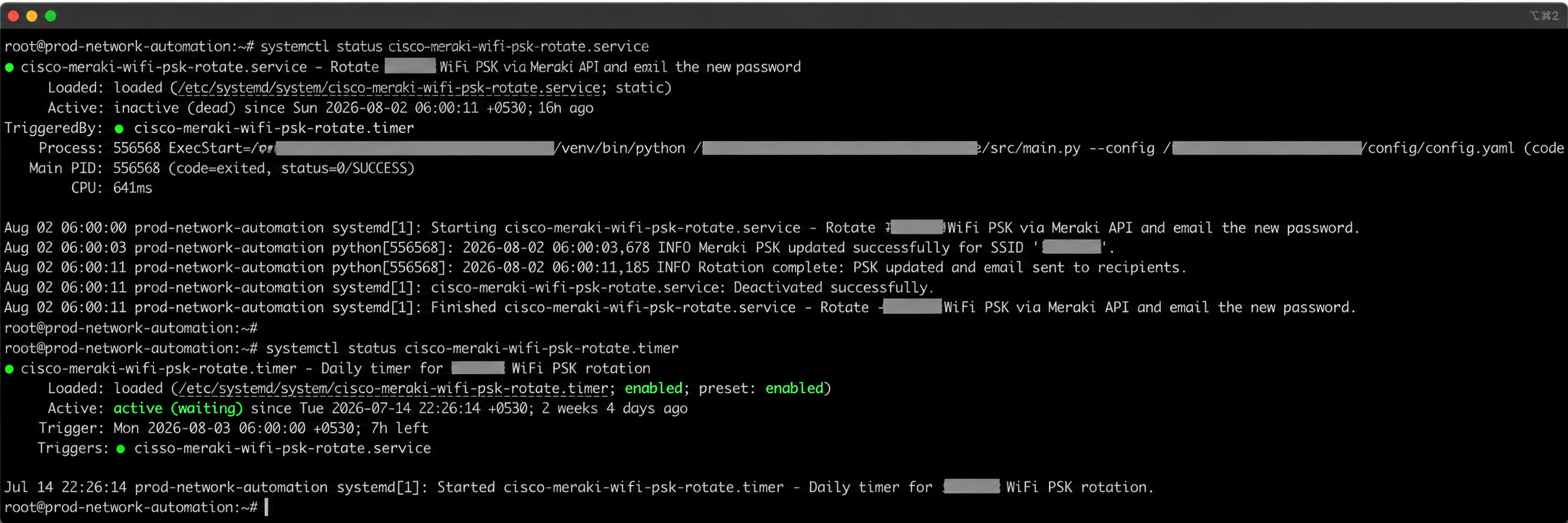
systemctl enable --now cisco-meraki-wifi-psk-rotate.timer
Verify it’s scheduled correctly (fires daily at 5:00 AM IST regardless of the server’s own local timezone setting):
systemctl list-timers cisco-meraki-wifi-psk-rotate.timer
systemd-analyze calendar "*-*-* 05:00:00 Asia/Kolkata"
Conclusion
Automating WiFi PSK rotation with the Cisco Meraki Dashboard API significantly improves wireless security while eliminating repetitive administrative tasks and closes a real security gap. With just a few lines of Python, you can automatically generate strong passwords, update SSIDs, notify users, and maintain a secure audit trail.
This approach is ideal for organizations managing multiple offices or large wireless deployments on Meraki environment, where manual password changes are time-consuming and prone to errors. By integrating the Meraki API with scheduling, email services, and secure secret management, you can build a scalable, enterprise-ready solution that enhances security and simplifies operations.