
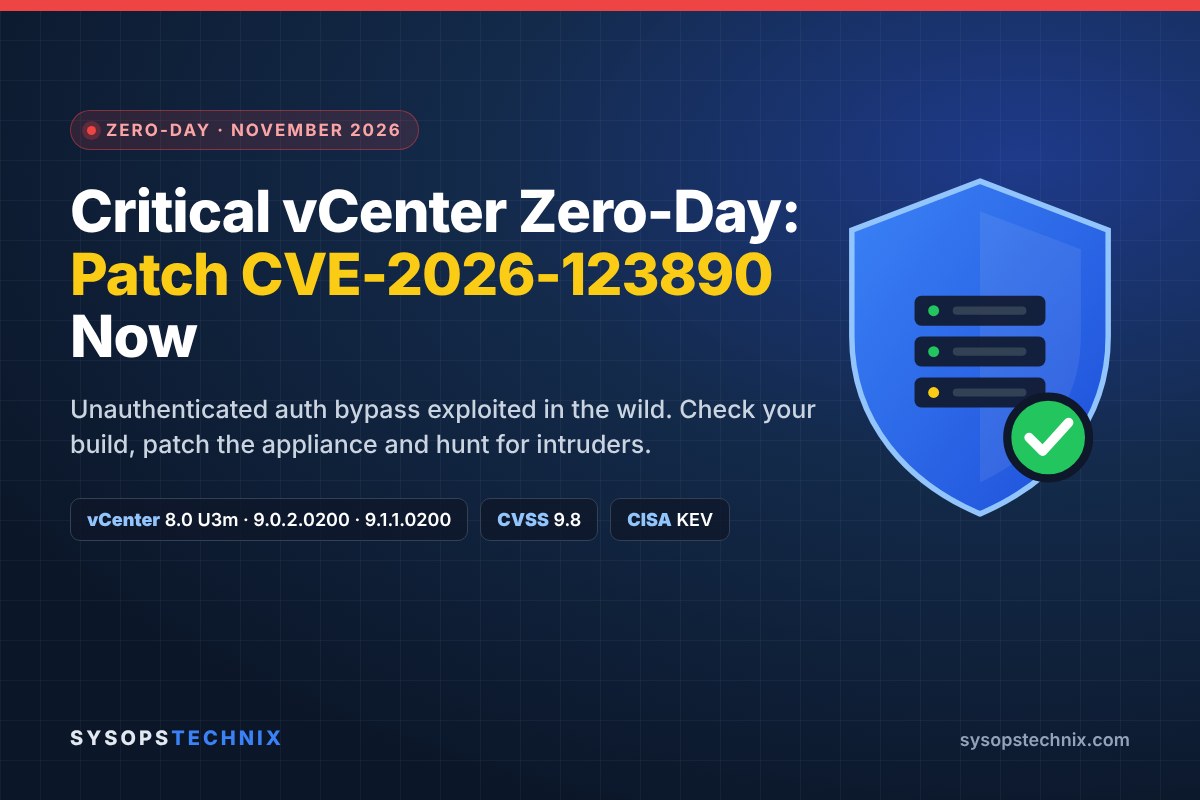
If you run VMware vCenter, this is the week to drop what you’re doing. Broadcom’s VMSA-2026-0009, published on 19 November 2026, fixes a critical vCenter vulnerability, CVE-2026-123890 (CVSS 9.8), and it isn’t theoretical. Mandiant found a China-nexus espionage group using it as a zero-day in early September, more than two months before a patch existed.
The bug lets anyone who can reach vCenter on the network skip authentication and act as [email protected]. From there, the attackers in Mandiant’s case created their own SSO admin, pulled vCenter’s secrets, logged into ESXi as root and copied domain controller data straight out of virtual disks. There’s no workaround. You need the update, and you should check whether someone got there first.
| CVE / advisory | CVE-2026-123890 (Broadcom VMSA-2026-0009) |
| Affected | vCenter 8.0, 9.0 and 9.1, including VCF, vSphere Foundation and Telco Cloud; 7.0 and older presumed affected |
| Fixed versions | 8.0 U3m (build 25934264), 9.0.2.0200, 9.1.1.0200; VCF 5.x: 5.2.5 |
| Severity | CVSS 9.8, Critical |
| Exploited in the wild | Yes, since early September 2026 (per Mandiant / Google Threat Intelligence) |
| CISA KEV | Yes, added 20 Nov 2026 (federal deadline 23 Nov 2026) |
| Workaround | None |
| Published | 19 Nov 2026 (advisory updated 20 Nov 2026) |
The short version
1. Patch vCenter: 8.0 U3m (build 25934264), 9.0.2.0200 or 9.1.1.0200. VCF 5.x: 5.2.5.
2. No workaround, no Quick Patch. Plan a short management outage; VMs keep running.
3. Lock down access to vCenter’s management ports (443, 2012, 5480, 22) from anything that isn’t an admin host.
4. Hunt for unknown SSO admins, unexpected SSH enablement on the appliance and new root keys on ESXi.
5. vSphere 7.0 and older: presume you’re affected. Only extended-support customers can get a fix.
Below: what the flaw does, how it was used in the wild, a quick way to check your version, step-by-step patching for a standalone vCenter appliance, and what to look for if you think you were hit.
What Happened: A Timeline
| Date (2026) | Event |
|---|---|
| 13 Jul | Build timestamp on the attackers’ exploit tool (Go metadata can be faked, but it lines up with the rest). |
| 29 Jul | Broadcom patches an earlier vCenter directory-service bypass, CVE-2026-59309. The new bug is separate and still worked on vCenters patched for it. |
| Early Sep | ARMORY CASTLE (formerly UNC5221) exploits CVE-2026-123890 inside a victim network, according to Mandiant’s forensics. |
| 19 Nov | Broadcom publishes VMSA-2026-0009 with fixes for vCenter 8.0, 9.0 and 9.1, plus four lower-severity bugs. |
| 20 Nov | Google Threat Intelligence and Mandiant publish their analysis. CISA adds the CVE to its Known Exploited Vulnerabilities catalog with a 23 November deadline for US federal agencies. |
Three days is a short runway, and CISA also flagged it for forensic triage. Even if you’re not a federal agency, that’s a good yardstick for how fast to move.
How the vCenter Vulnerability Works
vCenter runs its own directory service (vmdir) that holds the vSphere SSO identities, certificates and signing keys. According to Google’s write-up, CVE-2026-123890 sits in vmdir’s DCE/RPC interface, exposed on TCP port 2012, the vCenter SSO control interface. The Secure Remote Password (SRP) login exchange leaks enough information, through predictable UUIDv1 timestamps, for an attacker to recover the session key without knowing any password.
The end result is an authenticated session as [email protected], with no credentials at all. That’s why the score is 9.8: network attack, no privileges, no user interaction, full impact.
- Affected: vCenter 8.0, 9.0 and 9.1, including the vCenter inside VMware Cloud Foundation, vSphere Foundation and the Telco Cloud products. Enhanced Linked Mode doesn’t change that.
- Also presume affected: vCenter 7.0, 6.7 and 6.5. Broadcom doesn’t evaluate versions past end of general support, and the attackers’ tool targeted both 7.x and 8.x appliances.
- Not affected: ESX/ESXi itself, NSX and VCF Operations.
- Workaround: none from Broadcom.
This isn’t the July bug again. CVE-2026-59309, patched on 29 July, was an LDAP-based bypass in the same vmdir service on ports 389/636. CVE-2026-123890 uses a different path (DCE/RPC on 2012), and Mandiant saw it used against a vCenter that already had the July fix. Being patched for July does not protect you.
What the attackers actually did with it
Mandiant’s case is worth reading in full, but here’s the chain in plain terms, because it shapes what you should hunt for later:
- They got into the network through a separate zero-day in a remote support appliance, then moved to an internal Linux box with no EDR on it.
- They scanned for VMware ports (443, 2012, 389, 5480, 9080) and ran an exploit tool Mandiant calls BONESAW against vCenter.
- BONESAW copied vmdir’s database (
data.mdb), pulled the SAML signing key and created a new SSO administrator. With the signing key, a second tool could forge login tokens for any user, a “Golden SAML” attack that also sidesteps MFA. - They turned on SSH through the appliance management API, logged in with their new account, took vCenter’s master encryption key and the PostgreSQL credentials, then turned SSH off again.
- From there they logged into ESXi as
vpxuserand root, added their own SSH key, and extracted Active Directory’sNTDS.ditand registry hives directly from a domain controller’s virtual disk.
The last step is the scary one. Owning vCenter means owning every VM it manages, including your domain controllers, without touching them over the network.
The other four bugs in VMSA-2026-0009
These are real but much less urgent, because each needs an attacker who is already authenticated or already privileged:
| CVE | Component | CVSS | Fixed in |
|---|---|---|---|
| CVE-2026-123891 | SDDC Manager SQL injection (authenticated) | 8.1 | 9.1.1.0200 / 9.0.2.0100 / 5.2.5 |
| CVE-2026-123892 | SDDC Manager command injection (authenticated) | 7.2 | 9.1.1.0200 / 9.0.2.0100 / 5.2.5 |
| CVE-2026-123893 | SDDC Manager admin-to-root escalation | 6.7 | 9.1.1.0200 / 9.0.2.0100 / 5.2.5 |
| CVE-2026-123894 | VMware Tools for Windows SAML bypass (Guest Alias mapping only) | 6.7 | Tools 13.1.5.0 / 12.5.5 |
Am I Affected? Check Your vCenter Version
The fastest check is the appliance management UI: browse to https://your-vcenter:5480, log in as root, and look at Summary > Version. Compare it with the fixed versions below.
Am I affected? Tick everything that applies to you
Any box ticked? Patch now and restrict access to vCenter. Ticks reset when you reload the page.
From the appliance Bash shell (SSH, then type shell)
vpxd -v
Example output on a patched 8.0 appliance
VMware VirtualCenter 8.0.3 build-25934264
Or ask the API from your workstation (replace the hostname)
curl -sk -u '[email protected]' https://vcenter.example.com/api/appliance/system/version
| Your vCenter | Fixed version | Notes |
|---|---|---|
| 9.1.x | 9.1.1.0200 | VCF / VVF |
| 9.0.x | 9.0.2.0200 | Blocks a later jump to VCF 9.1.1; see the note below |
| 8.0 | 8.0 U3m (8.0.3.01200, build 25934264) | Released 19 Nov 2026 |
| VCF 5.x | 5.2.5 | Apply vCenter 8.0 U3m via the async patching guide (KB 88287) |
| 7.0, 6.7, 6.5 | No public fix | 7.0 only with an extended support contract; plan an upgrade |
Disclaimer: These steps are general guidance based on Broadcom’s published advisory and are provided as-is. Every environment is different: test in a staging environment, take a full backup or snapshot first, and follow Broadcom’s official documentation. SysOpsTechnix accepts no responsibility for outages, data loss or other damage resulting from applying these steps. See our Terms of Use.
How to Patch vCenter (Standalone Appliance)
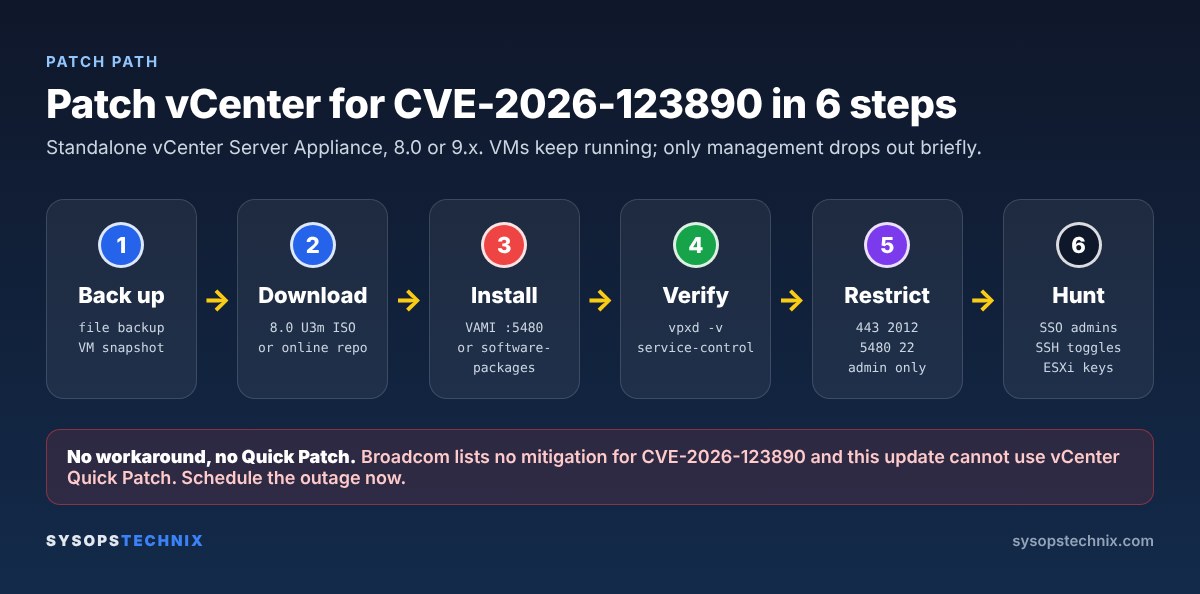
This vCenter update can’t go through vCenter Quick Patch, so expect the vSphere Client and API to drop out for a while during the install. Your VMs, HA and vSAN keep running. The one thing to plan around is encryption: while vCenter is down you can’t create new encrypted VMs or rotate keys with a Standard Key Provider.
Step 1: Back up first
- Run a file-based backup from the appliance management UI (Backup > Backup Now) and confirm it finished.
- Take a VM snapshot of the vCenter appliance. If you use Enhanced Linked Mode, snapshot every linked vCenter at the same time with them powered off, so you can roll them back together.
Step 2: Get the patch
For 8.0, the patch ISO is VMware-vCenter-Server-Appliance-8.0.3.01200-25934264-patch-FP.iso from the Broadcom Support Portal. Check the hash before you use it:
sha256sum VMware-vCenter-Server-Appliance-8.0.3.01200-25934264-patch-FP.iso
# expected: 0666cff51ee265616022f1bb99f8b9c495caf626dfe2602cf7ddb8a33e7c8c0c
If your vCenter can reach Broadcom’s online repository (with an entitlement token configured), you can skip the ISO and let the appliance download the update itself.
Step 3, option A: Update from the appliance management UI
- Browse to
https://your-vcenter:5480and log in as root. - Go to Update, click Check Updates and choose Check Repository or Check CD-ROM (if you attached the ISO to the appliance VM).
- Select the 8.0 U3m (or 9.x) update, run the pre-update checks, then Stage and Install.
Step 3, option B: Update from the appliance shell
Attach the patch ISO to the vCenter VM’s CD-ROM drive, SSH to the appliance and stay in the default appliance shell (the Command> prompt):
software-packages stage --iso --acceptEulas
software-packages list --staged
software-packages install --staged
The appliance reboots services as part of the install. Don’t interrupt it, even if the UI shows errors while vmdir restarts.
Step 4: Verify
vpxd -v
service-control --status --all
You want the fixed build number and all expected services running. Then log in to the vSphere Client and make sure hosts are connected.
Once you’re happy that everything works, delete the snapshot from step 1; leaving it in place slows the appliance down. While you’re at it, update VMware Tools on Windows VMs that use Guest Alias mapping (13.1.5.0 or 12.5.5), and if any vCenter in your estate is still on 7.0 or older, book that upgrade now.
Planning a jump to VCF 9.1.1? Broadcom’s FAQ warns that vCenter 8.0 U3m and 9.0.2.0200 block an upgrade to VCF 9.1.1. Don’t skip the security fix because of that. Patch now, and wait for VCF 9.1.2 for the bigger upgrade, or upgrade to 9.1.1 first and then apply 9.1.1.0200.
Can’t Patch Today? Cut Off Network Access
Broadcom lists no workaround, and nothing below fixes the bug. What it does is shrink who can reach it. In Mandiant’s case the attackers came from a compromised internal Linux server, so “vCenter isn’t on the internet” is not a defense on its own.
- Allow vCenter’s management ports only from admin jump hosts and the systems that genuinely need them (backup servers, monitoring): TCP 443, 2012, 389/636, 5480 and 22. Do this on a network firewall in front of vCenter, not only on the appliance.
- Keep SSH off on the appliance unless you’re actively using it, and alert when it gets turned on.
- Keep vCenter off the internet entirely. If the UI is published anywhere, take it down now.
- Remember the appliance’s own firewall has limits. Google points out that the VAMI firewall is managed from port 5480 itself, so someone with VAMI access can switch it off, and it doesn’t log denied connections or filter outbound traffic. Mandiant has published an iptables-based hardening tool for the appliance; test it under change control before production.
For vSphere 7.0 and older, these restrictions are all you have unless you hold an extended support contract. Treat the upgrade to 8.0 U3m or 9.x as urgent work, not a roadmap item.
Signs of Compromise: What to Check
Given that this was exploited for at least two months before disclosure, patching isn’t the end of it. These checks come straight from the behavior Mandiant documented:
- Unknown SSO administrators. In the vSphere Client, open Administration > Single Sign On > Users and Groups and review members of the Administrators group. Anything you can’t account for is a red flag.
- SSH turned on and off via the API. The attackers enabled SSH through the appliance management API and disabled it again afterwards. Look for that toggle in the appliance logs and your SIEM.
- Odd files in /tmp on vCenter and on any Linux appliance in the same network, especially ELF binaries with short names.
- New root SSH keys on ESXi and hidden directories on datastores.
- Logins to ESXi as vpxuser or root from places that don’t normally connect, including the ESXi Host Client.
On the vCenter appliance (Bash shell)
grep -ri "access/ssh" /var/log/vmware/applmgmt/ | tail -20
ls -la /tmp
On each ESXi host (SSH)
cat /etc/ssh/keys-root/authorized_keys
find /vmfs/volumes/ -maxdepth 2 -type d -name ".*"
If any of this turns up something unexpected, treat it as a full incident rather than a cleanup job. The attackers in this case took the SAML signing key, vCenter’s master key and Active Directory password hashes, so recovery means replacing STS certificates, resetting [email protected], vpxuser and ESXi root passwords, and following your AD compromise playbook. Google’s report also includes YARA rules for the tools involved.
For more on locking down management access in general, see my guide on hardening a small business server, and the nginx2root and PHP patch guide from earlier this week.
vCenter Vulnerability FAQ
Is CVE-2026-123890 being exploited?
Yes. Mandiant attributes exploitation in early September 2026 to ARMORY CASTLE, a suspected China-nexus espionage group, and CISA added it to the Known Exploited Vulnerabilities catalog on 20 November 2026.
Which vCenter update fixes CVE-2026-123890?
vCenter 8.0 U3m (build 25934264), 9.0.2.0200 and 9.1.1.0200. VMware Cloud Foundation 5.x customers should move to 5.2.5 or apply 8.0 U3m through the async patching process.
Is there a workaround for the vCenter vulnerability?
No. Broadcom lists none. Restricting network access to vCenter reduces exposure but doesn’t remove the bug.
Is vCenter 7.0 vulnerable?
Presume yes. vSphere 7.0 left general support in October 2025, so Broadcom doesn’t evaluate it, and the attackers’ tool targeted 7.x appliances. A patch is available only to customers with an extended support contract.
Do I need to patch ESXi hosts too?
Not for this CVE. ESX/ESXi isn’t affected by VMSA-2026-0009. If vCenter was compromised, though, check your hosts for the signs listed above.
Can I use vCenter Quick Patch for this update?
No. Broadcom says these vCenter updates aren’t eligible for Quick Patch, so plan for a short management outage.
If you’ve patched already and hit an error, or found something odd while hunting, leave a comment. I read them all and will help where I can.
Sources
- Broadcom: VMSA-2026-0009 and the VMSA-2026-0009 FAQ
- VMware vCenter 8.0 Update 3m release notes
- Google Threat Intelligence: ARMORY CASTLE Exploits vSphere
- CISA Known Exploited Vulnerabilities catalog
- The Hacker News: Critical VMware vCenter flaw